
Nyra
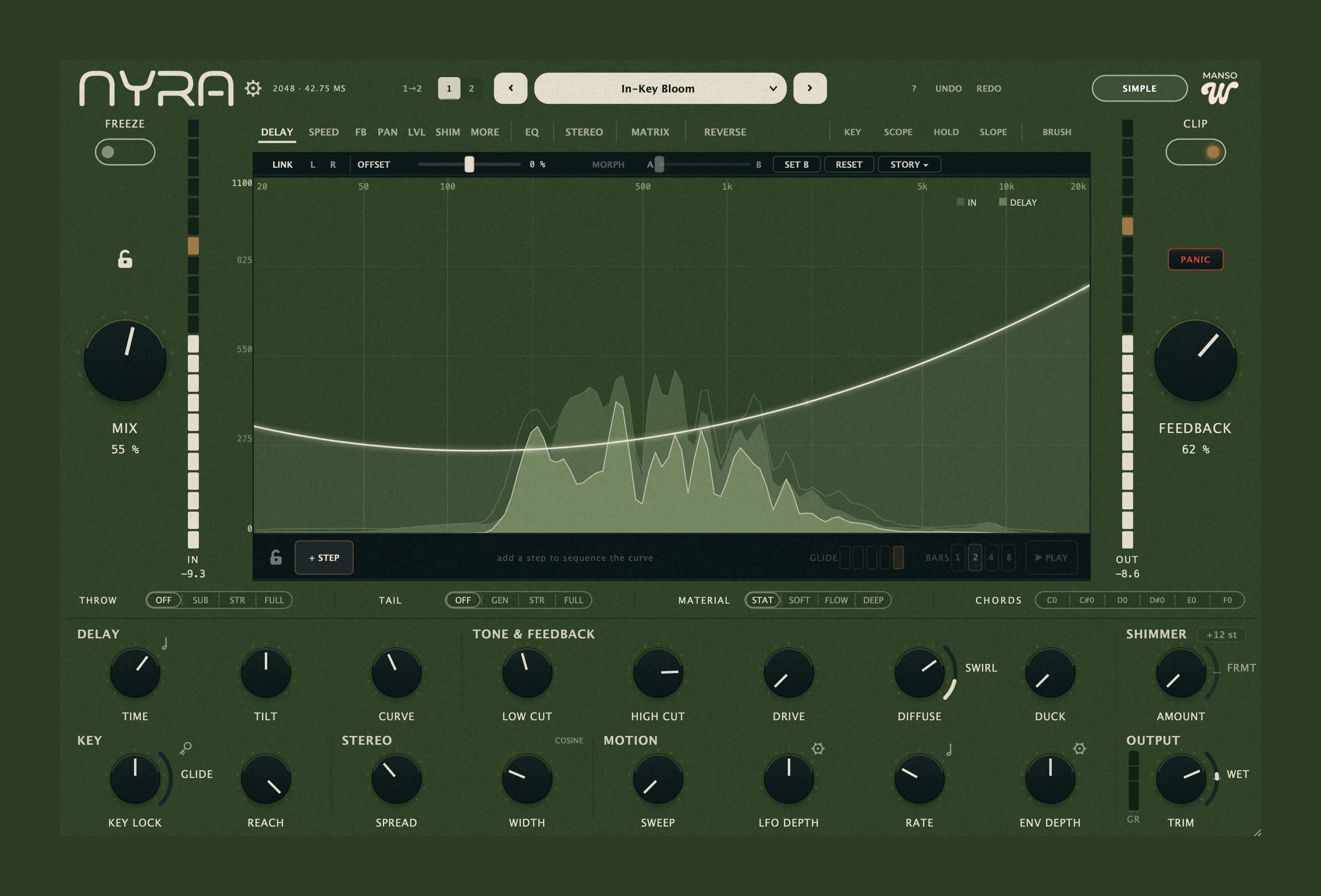
A normal delay treats your sound as one thing: one time, one feedback, one tail. Nyra splits it into 1,025 frequency bands and lets you draw a different delay for each one — 20 ms under 100 Hz so the low end stays tight, 900 ms above 4 kHz so the air floats forever. One instance, one send, no automation.
AU · VST3 · Standalone · macOS 10.15+ and Windows 10/11 · perpetual licence, offline activation, free updates through all 0.x and 1.x releases.
Every frequency gets its own delay time
A normal delay treats your sound as one thing - one time, one feedback, one tail. Nyra splits it into 1,025 bands and lets you draw a different delay for each: 20 ms under 100 Hz so the low end stays tight, 900 ms above 4 kHz so the air floats forever.
One instance, one send, no automation. Everything further down this page is a consequence of that one idea.
Nine things you can draw
Every lane is a curve across the frequency axis. Draw it with a brush or place nodes with Bézier bends; snap to semitones and grid, or type an exact Hz value at any node.
Delay
The shape of time. 0–4000 ms per band, free or tempo-synced down to 1/1.
Speed
Per-band playback rate. Each band scrubs its own history: half-speed lows under reversed highs.
Feedback
Which bands recirculate and which die immediately - a tail that decays into just the air.
Pan
Real per-band stereo. Lows stay centred, highs get thrown wide; the energy actually moves.
Level
Per-band wet gain. Mute the delay exactly where the lead vocal sits, keep it everywhere else.
Shimmer
Per-band pitch shift. An octave up on the top only, dry through the body.
Mod
Where the curve breathes and where it stays frozen.
L/R
A per-band left/right offset - dissolves a mono source into stereo without a chorus.
Width
Per-band M/S side scale.
Plus, on every lane: undo/redo, generators (ramp · V · sine · staircase · random), transforms (invert · reverse · tilt · smooth · simplify), Follow-Spectrum, which derives a curve from the signal that is playing, and a shape library you can save into.
The tail becomes an instrument
Freeze & Freeze Chords
Hold the current spectrum, capture it into six slots, and replay them from MIDI notes 24–29. Chords that hang underneath the track while the track keeps moving.
Key-Lock
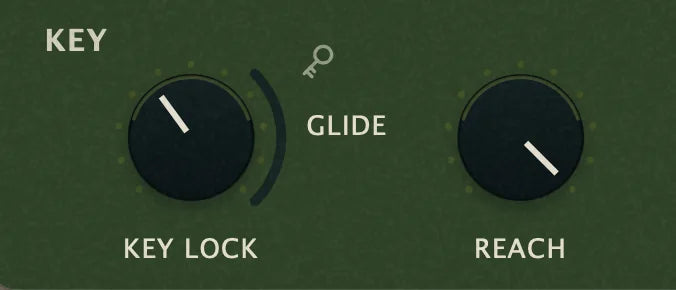
15 scales, set by hand, auto-detected from the material, or steered live by MIDI. Nothing in the tail ever lands out of key.
Shimmer
Set an interval, ride the amount, and hold the character with the formant control - a fifth or an octave up in the tail without the source thinning out. The shift is phase-locked, so the tail rises in pitch instead of smearing. Draw it per band on the Shimmer lane when you only want it on the top.
Gesture Storyboard
Draw a curve, add a step, draw the next. Up to 16 states, looped in sync with your host, either hard-switched like a step sequencer or morphing into each other.
Reverse
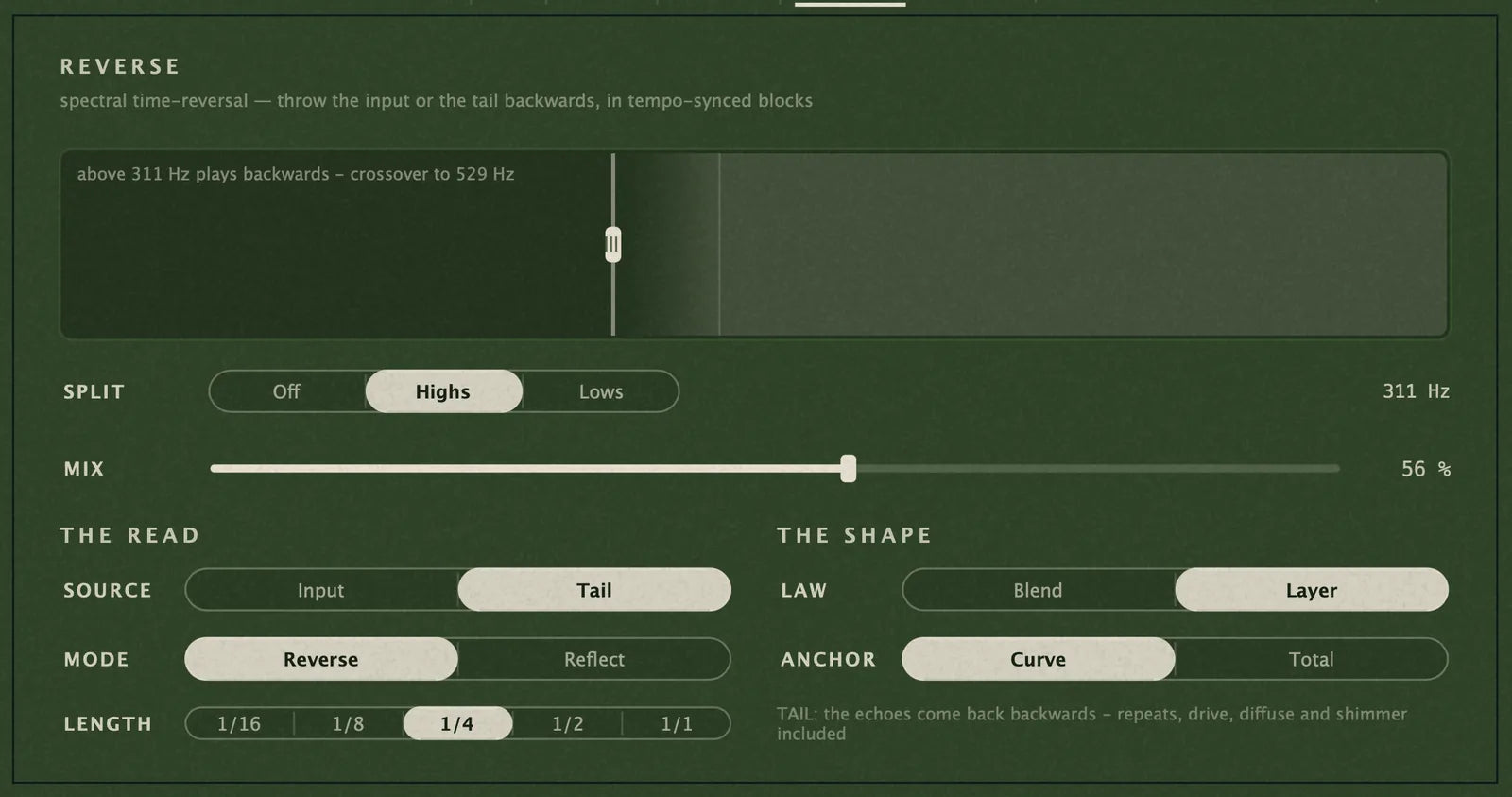
An exact spectral time-reversal, read from a clean input buffer. Throw it in mid-phrase and it is already full of material - no waiting for the buffer to fill, no pre-rendering a reversed track.
Motion Matrix
Two LFOs and an envelope follower into seven destinations: 21 bipolar cells, each smoothed, with per-source output amounts you can ride live. Modulation that moves with the take instead of against it.
Play the Tail
Hold MIDI notes and the tail is pulled toward those pitches, with per-note attack and release. The delay follows your chord progression.
Auto-Throw
Hides the wet signal while a phrase is running and throws it at the release edge. Vocal throws with no automation lane.
Engineered to sit in a real mix
Reconstruction you can trust
Kaiser analysis window with a least-squares dual synthesis window (WOLA), 75 % overlap, phase-locked shimmer, minimum-phase EQ and anti-derivative anti-aliased saturation.
Four resolutions
2048 / 1024 / 512, plus Multi-Res: a long window for low-end resolution and a short one for transient definition, summed at a crossover you set.
A 3-band parametric EQ
On the wet path - bell, shelf, cut or notch per band, each with its own dynamics, in natural or linear-phase mode.
Mono-safe imaging
Stereoize, Stereo Morph, Mono Guard, Transient Width, Gerzon Shuffler and Mono Maker. The stereo stages are constant-sum.
An output stage that keeps you safe
2× oversampled soft clip, or a lookahead brickwall limiter.
Sidechain input
For ducking the delay against the source.
The two panels that decide it
Two panels decide how wide Nyra is allowed to get and how the engine is built underneath. Neither one is buried in a menu, and both are honest about what they cost.
A stereo field you can watch
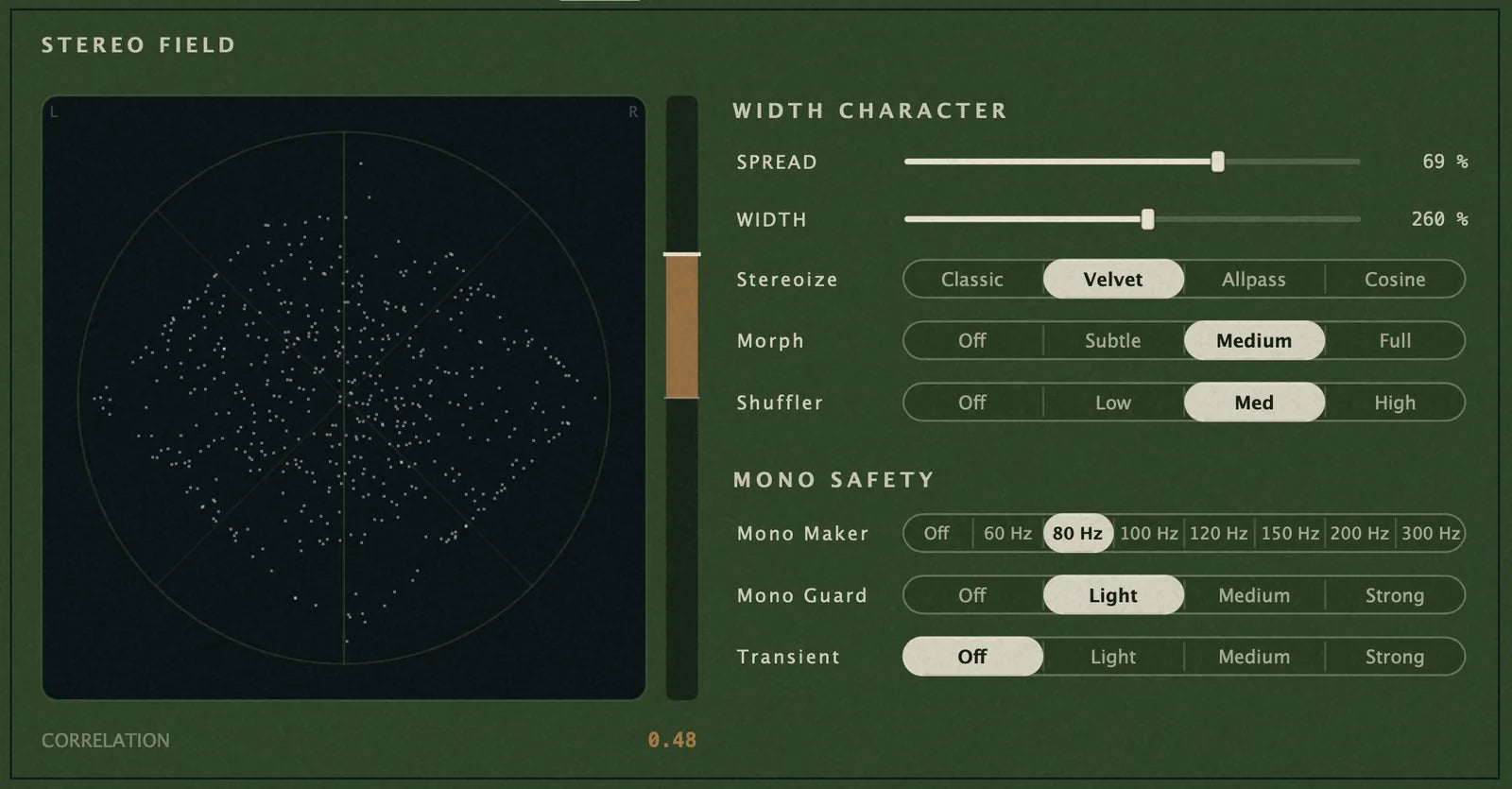
Spread and width across the wet path, four Stereoize characters, Stereo Morph and a Gerzon shuffler - with a live goniometer and a correlation readout sitting next to them. Mono Maker, Mono Guard and Transient Width are in the same panel, so the mono-safety call gets made where you can see its effect.
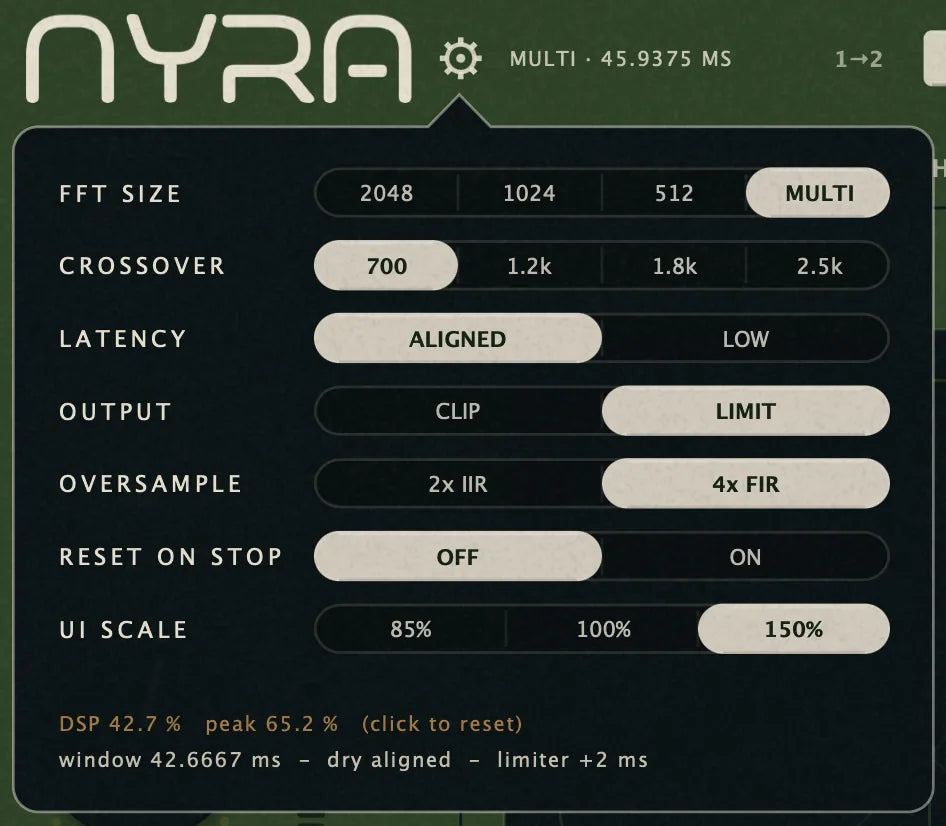
The engine panel
FFT size and crossover, aligned or low latency, clip or limit on the output, and the oversampling that feeds it. Underneath: the exact window length, the dry alignment, the limiter's extra milliseconds, and a live DSP and peak reading you can reset with a click. Set it once for the session - nothing else in the plugin argues with it.
As simple or as deep as you want it
Two big controls and six macros when you just want the sound. The full curve editor when you want to build it yourself. Same engine underneath - switch whenever, in any of five skins.
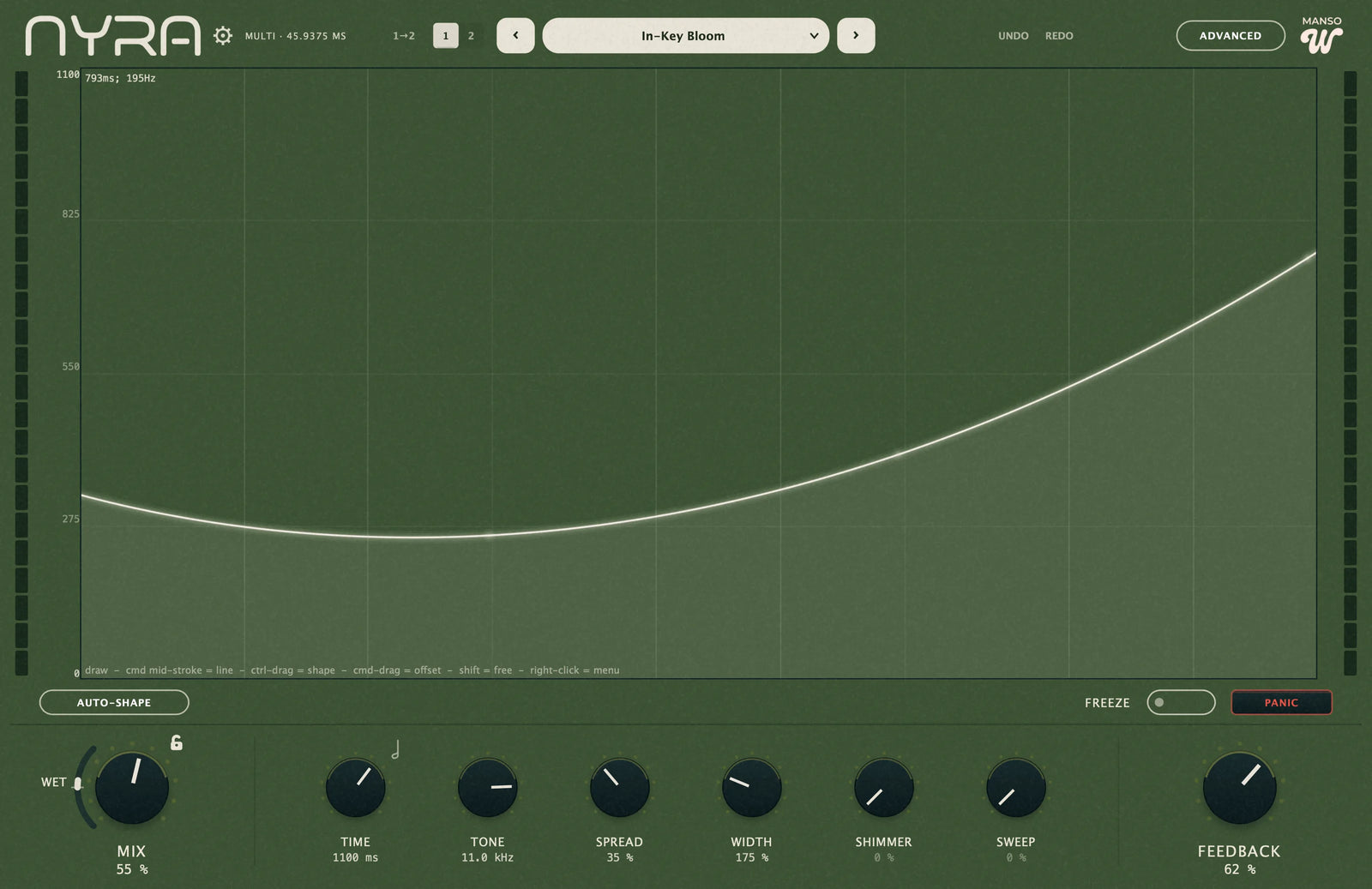
Nyra Lite ships the Simple view and one skin. The Advanced view and all five skins come with the full version.
134 presets, staged by measurement
Presets are where most plugins get lazy. These were levelled against real material so the browser is usable at speed.
134 presets, 15 categories
From eight Start Here patches that each teach one idea, through to Signature.
Staged by measurement
Every preset's wet level was measured on real programme material and staged from that measurement, so switching presets doesn't jump the level. You audition the sound, not the gain.
Built for auditioning
Search across name and category, favourites that follow you across projects, A/B compare, and a one-click Revert back to the sound you were on before you started browsing.
Producer packs work out of the box
Drop a folder of presets into the library and it appears as its own shelf, with the pack's name shown next to the preset.
What we'll tell you before you buy
The numbers that decide whether this fits your session, stated up front.
Latency
Nyra is a real STFT, so it has real latency: ≈46 ms at the default 2048 (≈23 ms at 1024, ≈12 ms at 512), reported exactly to your host. Low-Latency mode drops the reported latency to near zero.
CPU
Measured worst case with everything running: ≈15 % of one core at 2048, ≈23 % in Multi-Res. Multi-Res costs roughly twice a single window - that's the deal it makes.
Validation
Every release passes pluginval at strictness level 10 and an offline DSP test suite that pins reconstruction accuracy, alias floor and mono-safety.
What it isn't
Nyra is an insert/send effect, not a reverb and not a granular engine. No convolution, no built-in IRs, no cloud, no account.
That's Nyra
Nine lanes you can draw, a tail you can play, 134 presets levelled against real material, and a licence that never expires. If the curve is the thing you have been missing, it is one payment.
Technical specifications
- Formats
- AU · VST3 · Standalone
- macOS
- 10.15 or newer, universal binary (Apple Silicon + Intel), signed and notarised by Apple
- Windows
- 10/11, 64-bit - VST3 + Standalone (AU is macOS-only). Not code-signed yet: if SmartScreen warns, choose More info → Run anyway
- Channels
- Mono or stereo insert, plus an optional sidechain input
- Latency
- ≈46 / 23 / 12 ms (2048 / 1024 / 512); near-zero in Low-Latency mode; reported to the host
- Presets
- 134 factory presets in 15 categories + unlimited user presets and packs
- Parameters
- 125 automatable parameters, incl. 8 lane-amount macros and 9 morph controls
- Delay range
- Up to 4000 ms per band, free or tempo-synced to 1/1
- Activation
- Offline key file. No account, no iLok, no internet connection required
- Licence
- Perpetual - no subscription, ever. Free updates through all 0.x and 1.x releases
Sample-rate range and the licensed-machine count are still to be confirmed before launch.
Questions people actually ask before buying
Is this just an EQ on a delay send?
No. An EQ shapes how much of the delay you hear. Nyra shapes when you hear it: each of the 1,025 bands has its own delay time, feedback, level, pan and playback speed.
How much latency does it add?
≈46 ms at the default 2048-point window, ≈23 ms at 1024, ≈12 ms at 512, all reported accurately so your DAW compensates. Low-Latency mode routes the dry signal past the STFT for near-zero reported latency.
Will it eat my CPU?
Measured worst case with every stage running: about 15 % of one core at the default window, about 23 % in Multi-Res mode. Anything you leave switched off costs nothing.
Do I need to understand FFT to use this?
No. Load a Start Here preset and turn Mix. The Simple view has two big controls and six macros; the drawn curve is there when you want it.
Does it work in mono?
Yes, and the stereo stages are mono-safe by construction - the pan and width stages are constant-sum, so a mono fold-down keeps its level instead of collapsing.
What do I actually own?
A perpetual licence, delivered as an offline key file. No subscription, no account, no server that has to still exist in five years. Free updates through all 0.x and 1.x releases.
Can I try it first?
Yes - Nyra Lite is free, permanent, and it is the same audio engine, not a crippled or noise-injected demo. Download Nyra Lite.
Refunds?
14 days, no questions asked — that is our own guarantee, separate from the statutory right of withdrawal, which ends in the EU and UK the moment you agree to the immediate download at checkout. Because Lite exists, you can also just try before you buy.
Who am I actually buying from?
Checkout runs on Lemon Squeezy, who are the Merchant of Record: they take the payment and issue the invoice. The licence, the updates and the support are ours — questions before or after buying go to contact@manso.works.